A team user allows the owner of a NumberBarn account to add additional logins. The Team User can have basic or admin permissions for different use cases. The team user will have a unique login and password from the account owner.
⚙️ How it works
Add A Team User
1
Invite a User
➡️
We'll send an email invitation to your user to create their account.
2
Assign Them Numbers
➡️
You select the phone number(s) you want the team user to manage.
3
User Can Receive & Reply
➡️
Using our app or online account, users can receive and place calls and texts.
Team User Roles
Admin
Basic
Edit contact & billing info
✓
Add & manage numbers
✓
Add & manage users
✓
Add & manage feature settings
✓
Edit individual user settings
✓
✓
Place & receive calls
✓
✓
Access voicemail
✓
✓
Send & receive text
✓
✓
Mobile app access
✓
✓
Broker dashboard access
✓
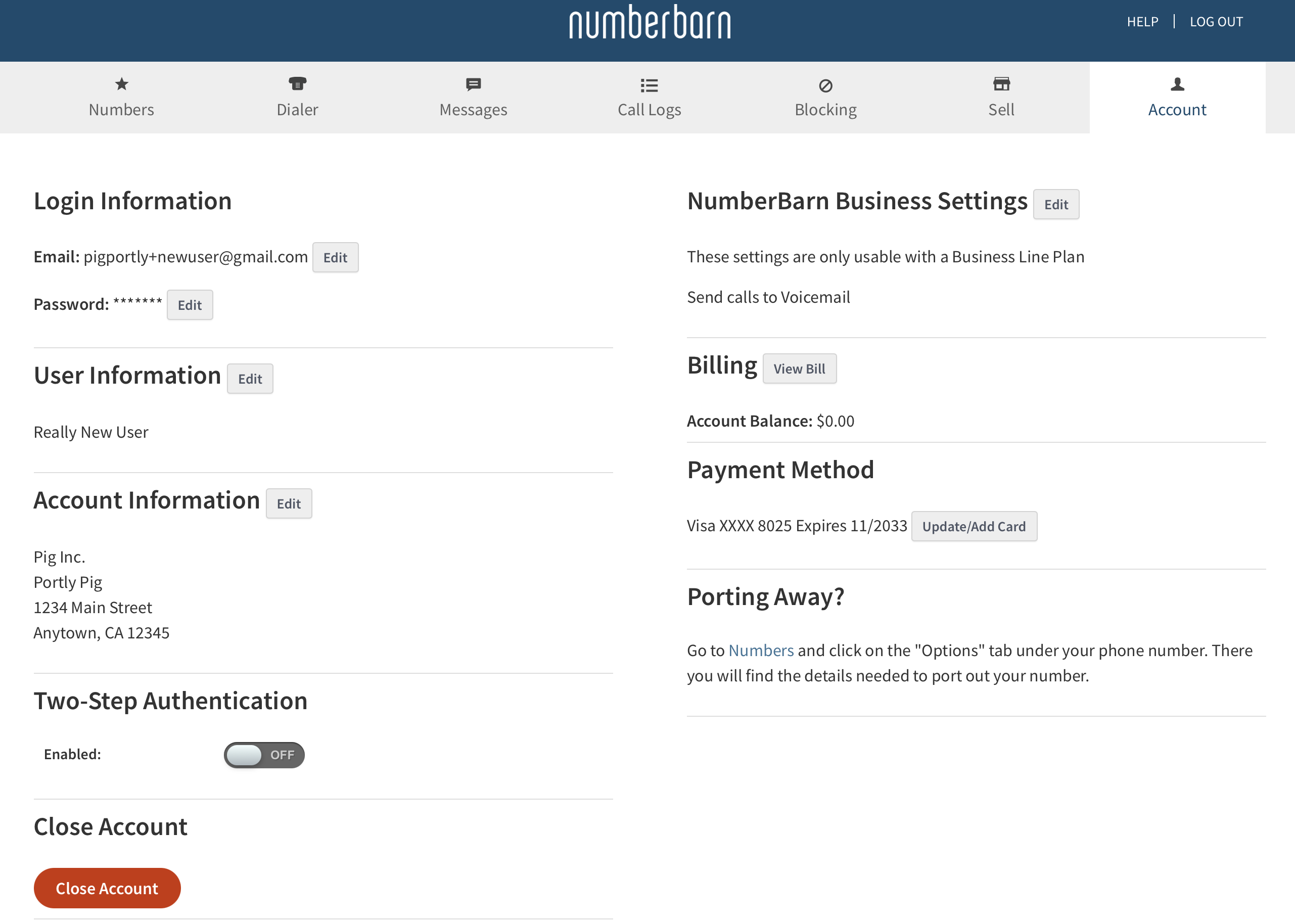
Admin User Control Panel View
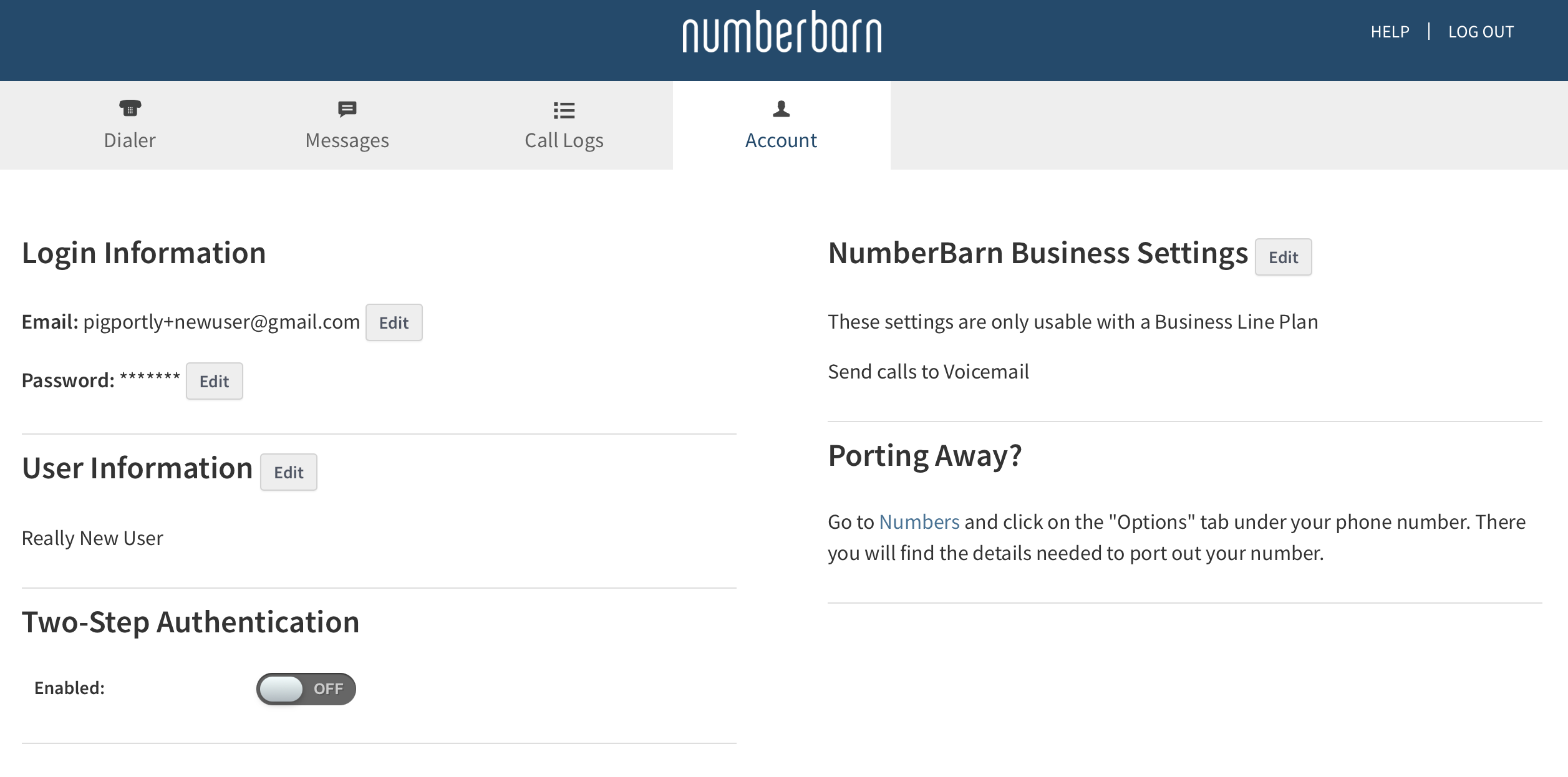
Basic User Control Panel View
📌 Things to Know
Users have their own individual login credentials and can only view what you allow them to see.
Team users can only be managed by Administrative users.
Comments
0 comments
Please sign in to leave a comment.